Every price, in your money
Homeprice converts prices on any website into the currency you actually think in, as you browse. Hover any of them to see the original.
It also tells you something no other converter does: how much of that price is tax you can claim back when you leave the country.
Free, and it stays free. No account, no sign-up. Installs in Edge, Brave and Arc too.
The same shelf, twice
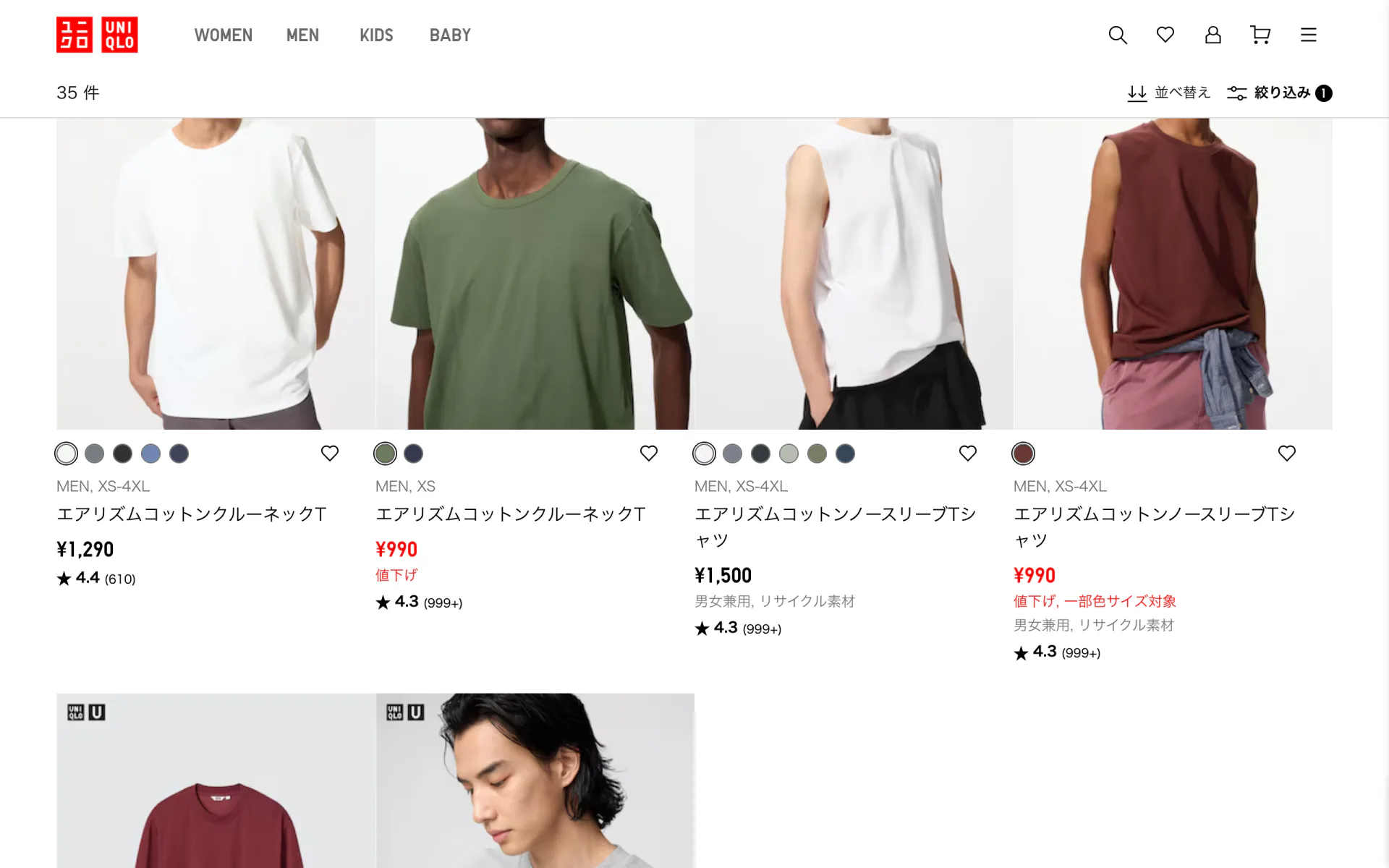
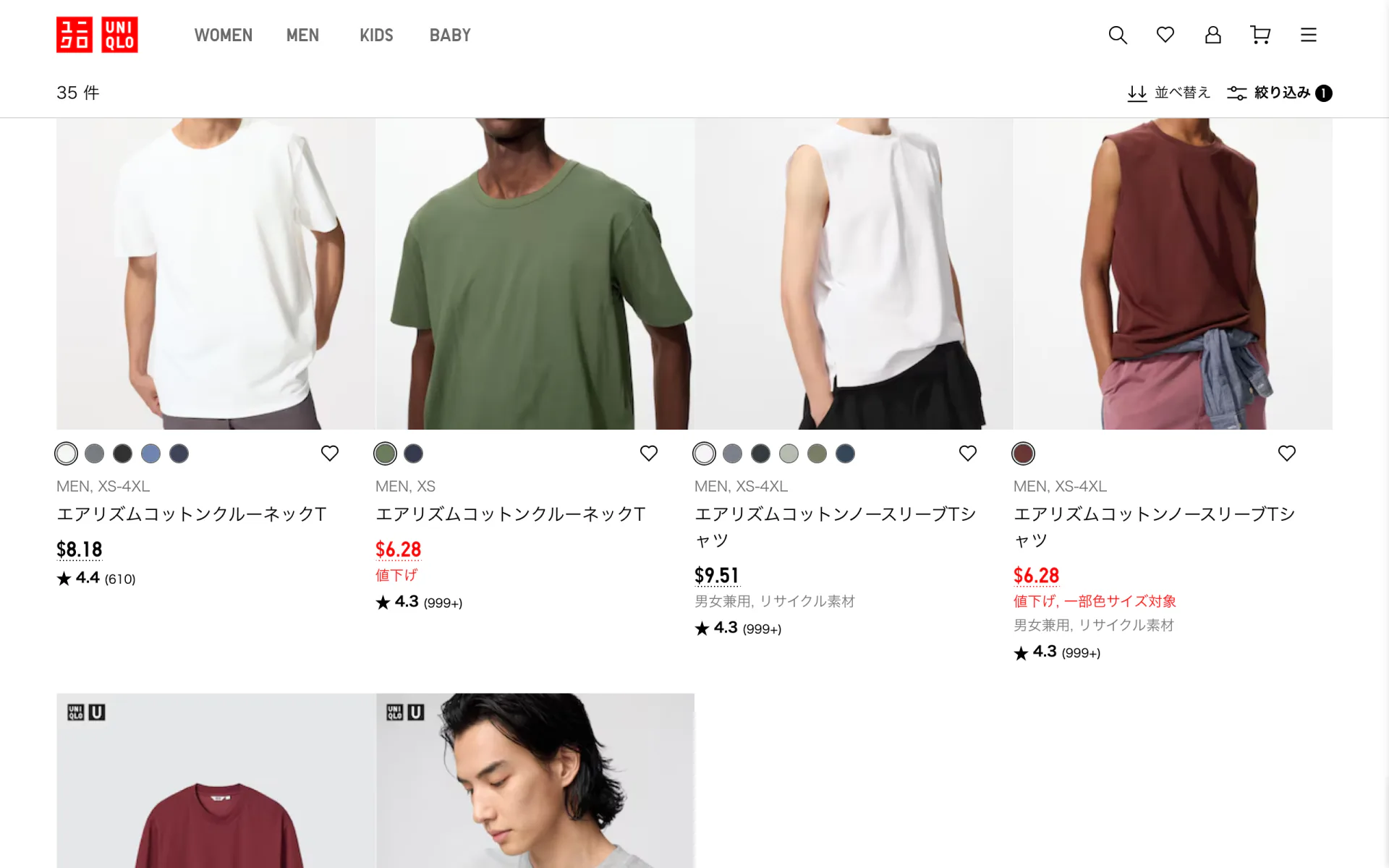
One row of T-shirts on Uniqlo's Japanese store. Drag the handle to put the yen back, and change the currency to whichever one you think in. Nothing else on the page moves, because nothing else is Homeprice's business.
What it actually does
Most currency converters stop at the exchange rate. That is the easy half of the question when you are shopping abroad.
-
It reads prices the way people write them
Comma grouping, dot grouping, Indian lakh grouping, three decimal dinars, symbols before and after the number, and currency words in their own script. A Thai shop showing 490.00 บาท works as well as one showing $19.99.
-
It works out what a symbol means
A bare dollar sign is twelve different currencies. Homeprice checks the currency code, the shop's own product data, the domain, and the country in the address before deciding. When it is still guessing, it says so.
-
It knows the refund rules
More than 60 countries, with the tax rate, the minimum spend, whether the tax comes off at the till or on departure, and roughly what the refund operator keeps. It shows the price after the refund, not the headline rate.
-
It copes with real shops
Prices split across several elements, hidden copies kept for screen readers, items that load as you scroll, and sites that rebuild themselves after you touch them.
Tax you are probably leaving behind
Most countries refund sales tax to visitors. On a shelf price abroad that is often somewhere between 5 and 25 percent, sitting there unclaimed because working out whether it is worth the paperwork is tedious at the moment you are deciding.
Homeprice does that arithmetic for you, on every price, before you buy. It is honest about the parts that catch people out.
- The operator takes a cut. The headline VAT rate is not what lands back in your account, so the estimate is net of typical fees.
- Minimum spends are per receipt. A cheap item still counts towards one, so it is marked rather than hidden.
- The paperwork happens at the till. You need the form issued in store, against your passport, and the goods have to leave with you. An online order delivered locally earns nothing back.
- Some countries have no scheme at all. Homeprice says so instead of quietly showing you a number.
These are estimates from published scheme rules. They are a guide for deciding whether something is worth buying, not a quote. See the terms for the full version of that sentence.
It does not watch you
No account, no sign-up, no analytics, no ads, no tracking of any kind. The pages you visit never leave your browser. Prices are found and converted on your own machine.
The only request Homeprice makes is asking a public endpoint for exchange rates, about every six hours. That request contains nothing about you or the page you are on. It works offline too, and tells you when it is using stored rates rather than passing old numbers off as current.
This site has no trackers on it either, which felt like the least it could do.
Worth knowing before you install
- It changes what you see, never what you are charged. Checkout still happens in the shop's currency at your card's rate, which will differ from the mid-market rate shown here.
- It reads text. Prices drawn inside images or a canvas are invisible to it.
- You can switch it off per site. Add your bank, or anywhere you would rather see untouched numbers. Alt+Shift+P toggles the current page.
- The tax-free price can sit inline as well. The screenshots here keep the page tidy with only the converted price, but Homeprice will put the after-refund figure beside every one if you would rather see it without hovering.
Two questions, then every price makes sense
Which money you think in, and where you live. That is the whole setup, and it takes about ten seconds.
Free. No account, no tracking, no ads.